Excel Invoice
WordExcelPDF
An itemized invoice (also called an itemized bill) lists every product, part or task on its own line with its quantity, unit price and amount, instead of one lump sum. Clients can check each charge against what they ordered or what was quoted, which is why itemized bills are disputed less often.
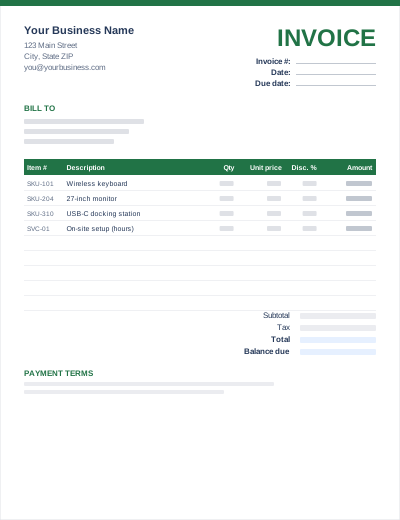
This template adds an item number column for your product codes or quote line references and a discount percentage per line. In the Excel file each line amount is calculated as quantity × unit price × (1 − discount), and the subtotal, tax and grand total follow.
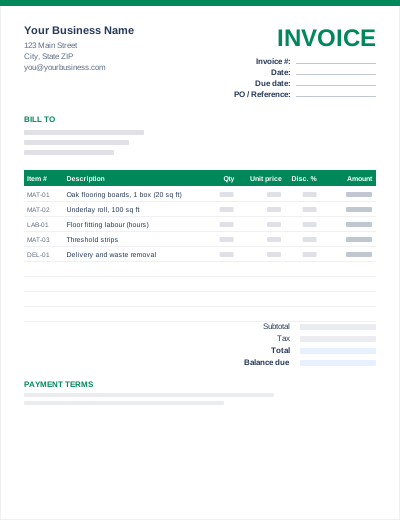
Sample entries show how to fill it in; replace them with your own. All three files share the same layout. The Excel version calculates line amounts and totals; the PDF is a blank, print-ready form.
Prefer not to download anything? Fill in the same fields in the free online invoice generator and save the result as a PDF.
If you quoted the job, use the same line descriptions and item numbers on the invoice. The client can tick each line off. Our guide on turning a quote into an invoice walks through it.
SKU, part number, quote line (Q-118/3) or a date. Leave it blank if you do not need it.
List materials first, then labour, so the client can see both totals at a glance. The contractor template has separate subtotals for each.
Every invoice has line items, but a summary invoice may bill a single total ("Kitchen renovation – $8,400"). An itemized invoice breaks that total into individual products and tasks with their own quantities and prices.
The Excel and Word files have 12 lines. In Excel, insert rows inside the table (above the last line) and copy the amount formula down; the subtotal range expands automatically. In Word, place the cursor in the last row and press Tab.
Clients often ask for one, especially for repairs, medical or legal services and insurance claims. Whether they are legally entitled to one depends on the industry and the country, but providing it is good practice.