Hourly Invoice
WordExcelPDF
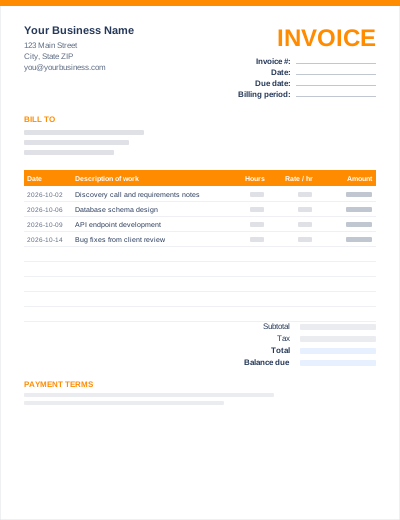
Consulting work is usually billed under a statement of work or engagement letter, by the hour or day, often against a retainer paid in advance. This template has an engagement/PO reference, a billing period, dated time entries and a "Less: retainer applied" line so the client sees exactly how much of the retainer was used.
Change the Hours column header to "Days" if you bill day rates; the formulas work the same way.
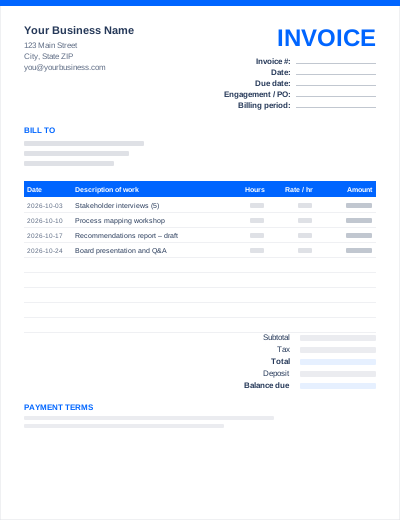
Sample entries show how to fill it in; replace them with your own. All three files share the same layout. The Excel version calculates line amounts and totals; the PDF is a blank, print-ready form.
Prefer not to download anything? Fill in the same fields in the free online invoice generator and save the result as a PDF.
Use the SOW or PO number from the contract. It is how the client's finance team matches your invoice to an approved budget.
Travel and other pass-through costs are best listed as separate lines (or a separate invoice) with receipts attached, at cost unless your contract allows a mark-up.
List the hours worked even when they are covered by the retainer, then subtract the retainer. The deposits and milestones guide covers retainer invoicing.
Usually monthly or at agreed milestones, referencing the engagement letter or statement of work, with time entries or deliverables listed and expenses billed separately.
Yes. The .docx file opens in Microsoft Word and the .xlsx file in Microsoft Excel (2010 or later). Both also open in Google Docs/Sheets, LibreOffice and Apple Pages/Numbers.
Either. Enter days in the hours column and your day rate in the rate column, and rename the column headers.